English en
hfc_female, hfc_male
Live Translation listens to your microphone or system audio — a video, call or stream — in any of ~100 languages and shows translated subtitles in real time, reading them aloud. Recognition, translation and voice all run offline.
Windows and macOS versions are coming soon
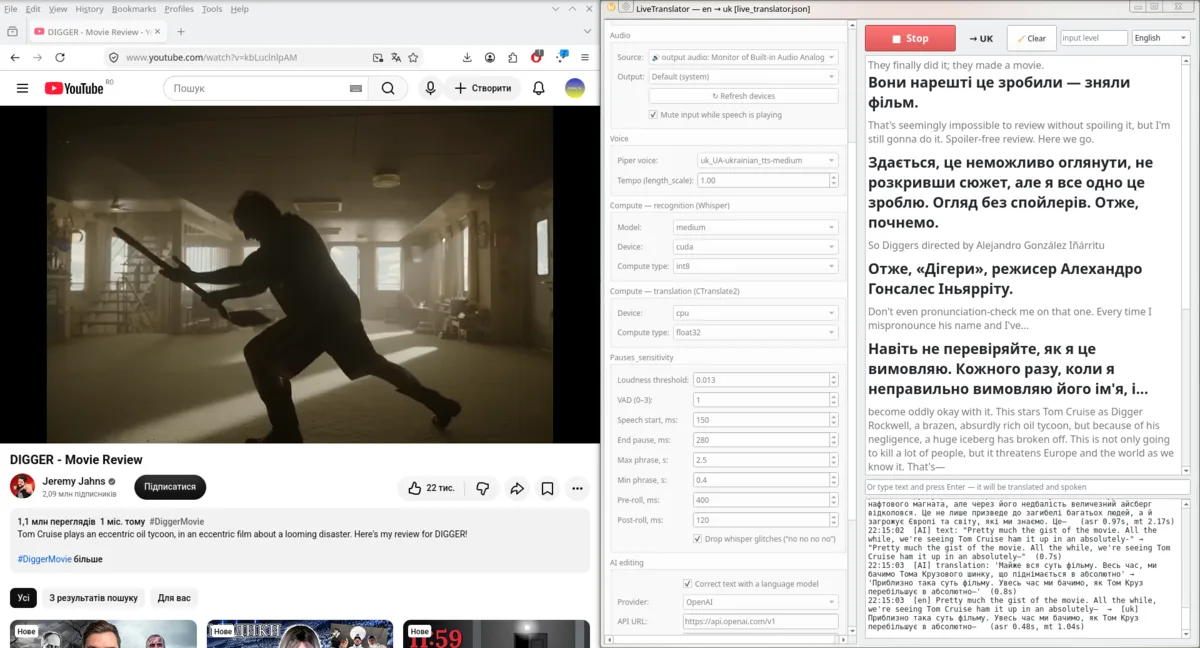
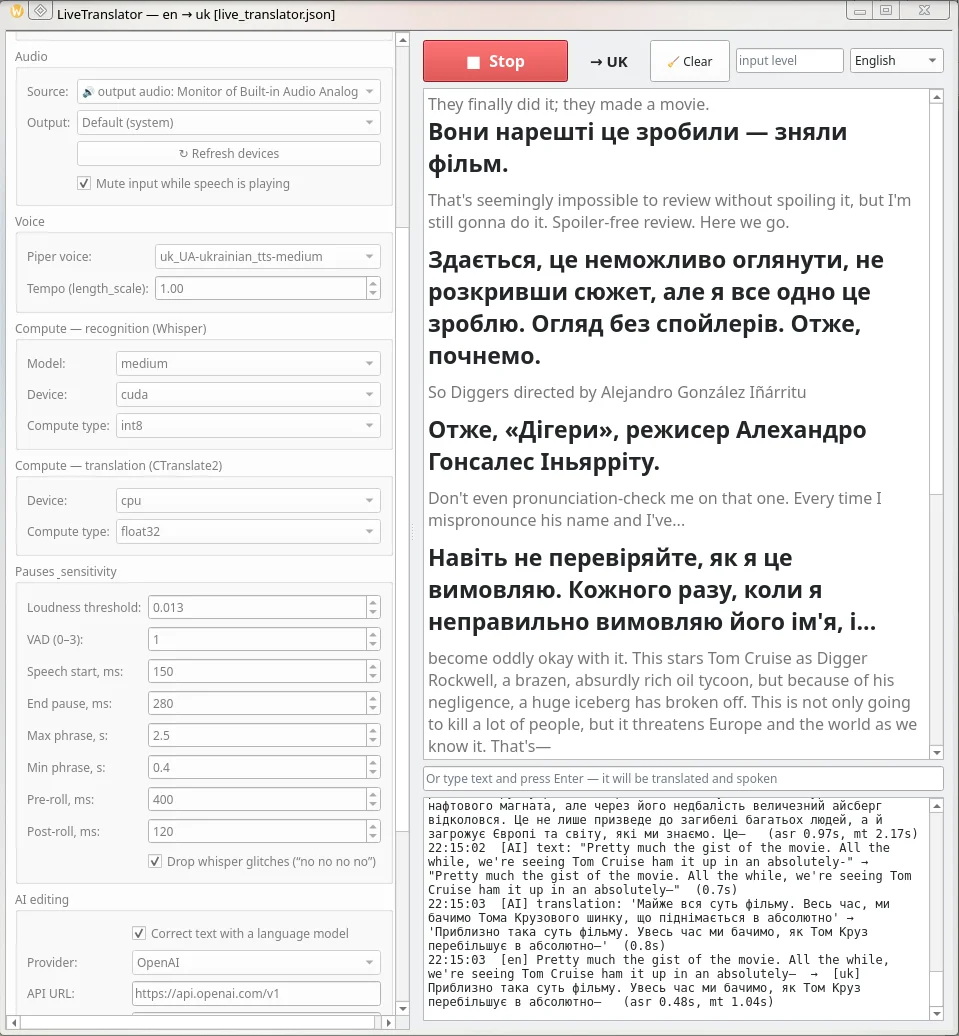
One window, one translation direction and no cloud services by default. Need another direction? Run a second instance with its own config.
Recognition, translation and voice are local models on your computer. Your audio is never sent anywhere.
The speaker can use any of ~100 languages. Audio comes from a microphone, a headset or the system itself: YouTube, Zoom, Teams, Discord, a stream or a game.
The original in small print, the translation in large type. A Piper voice reads the translation, and input is muted meanwhile so the app doesn't translate itself.
Optionally, a language model fixes the recognised text and the translation using the conversation context: a local server, OpenAI or Gemini.
While you hold Space, phrases are translated and voiced in a second language. Release it — back to the main one.
With an NVIDIA card (CUDA) recognition is much faster. Without one everything runs on the CPU — the app switches automatically.
Type a phrase and press Enter — the app translates and speaks it. Handy for replying to the other person.
Every phrase can be sent as a JSON POST request to your URL — for OBS overlays, bots or your own services.
From sound to translation in a second or two. Every stage can be tuned or switched off: transcription only, + translation, + voice-over.
The app is a single AppImage file. Recognition, translation and voice models come as a separate archive, so you don't re-download them with every update.
The models/ folder must sit next to the AppImage (or in ~/.config/LiveTranslator/models).
unzip LiveTranslator-models.zip
Make the file executable and open it. Pick an audio source and languages, then press "Start".
chmod +x LiveTranslator-x86_64.AppImage./LiveTranslator-x86_64.AppImage
sudo apt install libportaudio2
Pick any language as the source, or choose "any language" and Whisper detects it itself. Translation and voice-over are in one of the five languages in the pack.
If there is no dedicated translation model for a language, Whisper first translates it into English and then into the language you chose. So you can watch a Spanish, Japanese or Polish video with Ukrainian subtitles and voice-over.
hfc_female, hfc_male
ukrainian_tts
pim, nathalie
mihai
denis, dmitri, irina, ruslan
Three Whisper models: tiny — fastest, medium — balanced, large-v3 — most accurate.
A new language or voice? Just drop the model folder into models/ — the app picks it up on the next start.
Yes. Only AI editing through OpenAI or Gemini may cost money — with your own key at their rates. With a local server (e.g. LM Studio) it's free.
From any of the ~100 languages Whisper recognises: pick the speaker's language or "any language" and the app detects it itself. It translates and speaks in English, Ukrainian, Dutch, Romanian or Russian.
Soon. The model pack is the same for every system, so you can download it now. Message me in the chat and I'll let you know as soon as they're ready.
No. Recognition, translation and voice work offline. The app only goes online if you enable AI editing via OpenAI/Gemini or sending results to a URL.
No. An NVIDIA card (CUDA) makes recognition faster, but the app also runs on the CPU. On a slower computer choose the Whisper model tiny or medium.
In the "Source" list choose "🔊 output audio" — the app will listen to everything playing on your computer. Turn on "Mute input while speech is playing" so the translation doesn't loop back into recognition.
It contains three Whisper models (large-v3 alone is almost 3 GB), the translation models and 10 voices. You can delete what you don't need from models/ — for example, keep only medium.
In ~/.config/LiveTranslator/, next to the log. Settings are saved when you press "Start".
Tried Live Translation? Tell me what works well, what could be better, and which languages or voices are missing. Or write to get the Windows or macOS version first.
Register in a minute and write me directly — I'll reply in the chat on this site.
To write me, create an account or log in — it takes a minute. You'll see my reply right here.
Create account I already have an account